Organizing & reminders
Capture is only half of it. Emberel's job is to hand the right thing back to you at the right time.
The four lenses
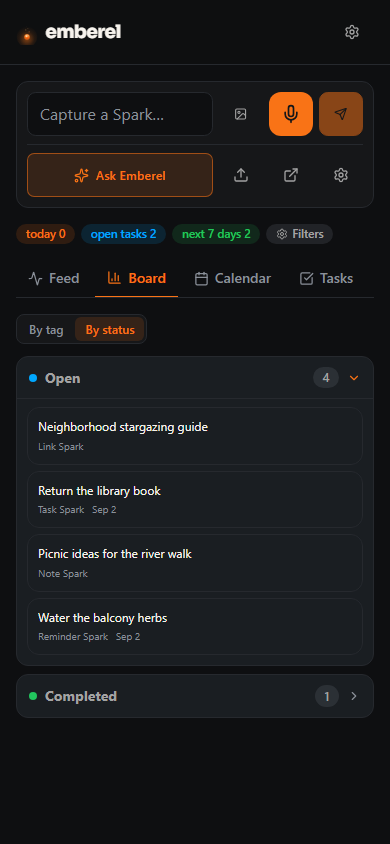
Everything lives in one pool. Switch lenses instead of moving Sparks between folders:
Feed
Masonry, list, or compact. Filter by group or tag with the chips at the top.
Board
On desktop, drag cards between columns and manage custom columns. On narrow screens, the same groups become collapsible sections rather than a drag target.
Calendar
Scheduled and timeline views of anything with a date.
Tasks
Focused to-do views with counts, sorting, and quick filters.
Groups, tags & keywords
Your Sparks are grouped as Notes, Reminders & Tasks, and Links — shown as filter chips with live counts. Add your own tags for finer slicing; the Tag Manager lets you rename (merging on collision), recolor, and delete tags without losing Sparks.
You can also teach Emberel your own keywords in Settings → AI & memory: map a word like gig to a meaning (“DJ / event bookings”) and an auto-applied tag, and Emberel recognizes it in any capture.
How reminders resurface
Dated Sparks return through Today and due/overdue views. When email delivery is configured, scheduled reminders can also arrive by email. The SMS campaign is approved; text delivery remains disabled pending controlled activation tests.
Undated Note Sparks use a separate, focused loop. Home can show one to three eligible items in For you now, with Open, Later, Dismiss, and Done only where the item is actually completable. Merely loading Home does not count as showing one: Emberel records an impression only after the card is visible. The weekly digest separately lists up to five recently updated active undated Notes as “Sparks on the shelf.”
Recurring, snooze & quiet hours
- Recurring — say “every morning” or “the 1st of each month” and Emberel schedules the first occurrence, then rolls the series forward automatically each time you complete it.
- Snooze — push a reminder forward without losing the original; it simply resurfaces later.
- Quiet hours — set an overnight window in Settings and Emberel holds notifications until it passes.
- Channel — choose email for reminders today. Text delivery is future/pending and has no active quota.
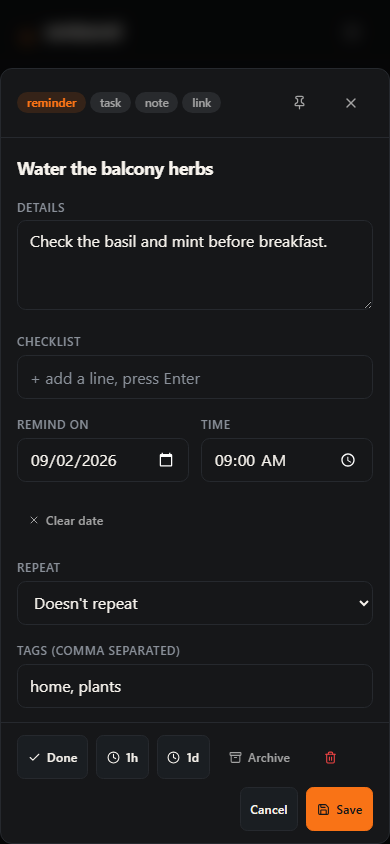
Editing & re-filing
Open any Spark to change how it behaves with the type switcher — flip a note into a task, or a task into a reminder, and Emberel moves the date fields to match. Checklists can also live inside a Spark, so a task can carry its own sub-steps. Pin the things you want at the top; archive the ones you're done with.